> ## Documentation Index
> Fetch the complete documentation index at: https://docs.digitalasset.com/llms.txt
> Use this file to discover all available pages before exploring further.
# Quickstart
> In order to onboard as a Registry Provider, the prerequisites detailed below must be completed.
## Prerequisites
Use of the DA Registry requires a commercial agreement with Digital Asset. The agreement governs access to DA Registry, licensing, support, and any applicable commercial terms. For licensing and pricing information, please [contact Digital Asset](https://www.digitalasset.com/contact-us).
This step can be skipped if you are planning to access the [DA Registry](https://registry.app.digitalasset.com/) with an authorized partyID via a CIP-103 compliant wallet.
Deploy and operate a validator node and complete the required Canton Network onboarding process. Access to the DA Registry application packages (DARs) is provided as part of the technical onboarding documentation. For infrastructure and validator setup instructions, see the Canton Network documentation.
To use a featured party with the DA Registry, the party must configure a static sharing of Traffic-Based App Rewards according to the applicable commercial agreement.
This configuration is required to maintain reward-sharing arrangements under the Canton Network tokenomics. The documentation for the [Canton setup can be found here](https://docs.canton.network/global-synchronizer/splice-fundamentals/reward-sharing#reward-sharing).
The Registry User Interface supports the CIP-103 dApp connectivity standard.
To access the [DA Registry dApp UI](https://registry.app.digitalasset.com/), connect your Provider party or any other authorized party using a CIP-103 compliant wallet.
You can either:
* Use an existing CIP-103 compliant wallet provider, or
* Deploy the [Wallet Gateway](https://github.com/canton-network/wallet/tree/main/wallet-gateway/remote) within your own infrastructure and connect it to your participant node.
This enables users to securely authenticate and interact with the [DA Registry dApp UI](https://registry.app.digitalasset.com/) directly from their wallet.
A Provider Service represents the on-ledger contract between Digital Asset and your organization's Registry infrastructure and enables you to onboard registrar parties and administer Registry services.
Provider Services can be requested directly through the Registry User Interface.
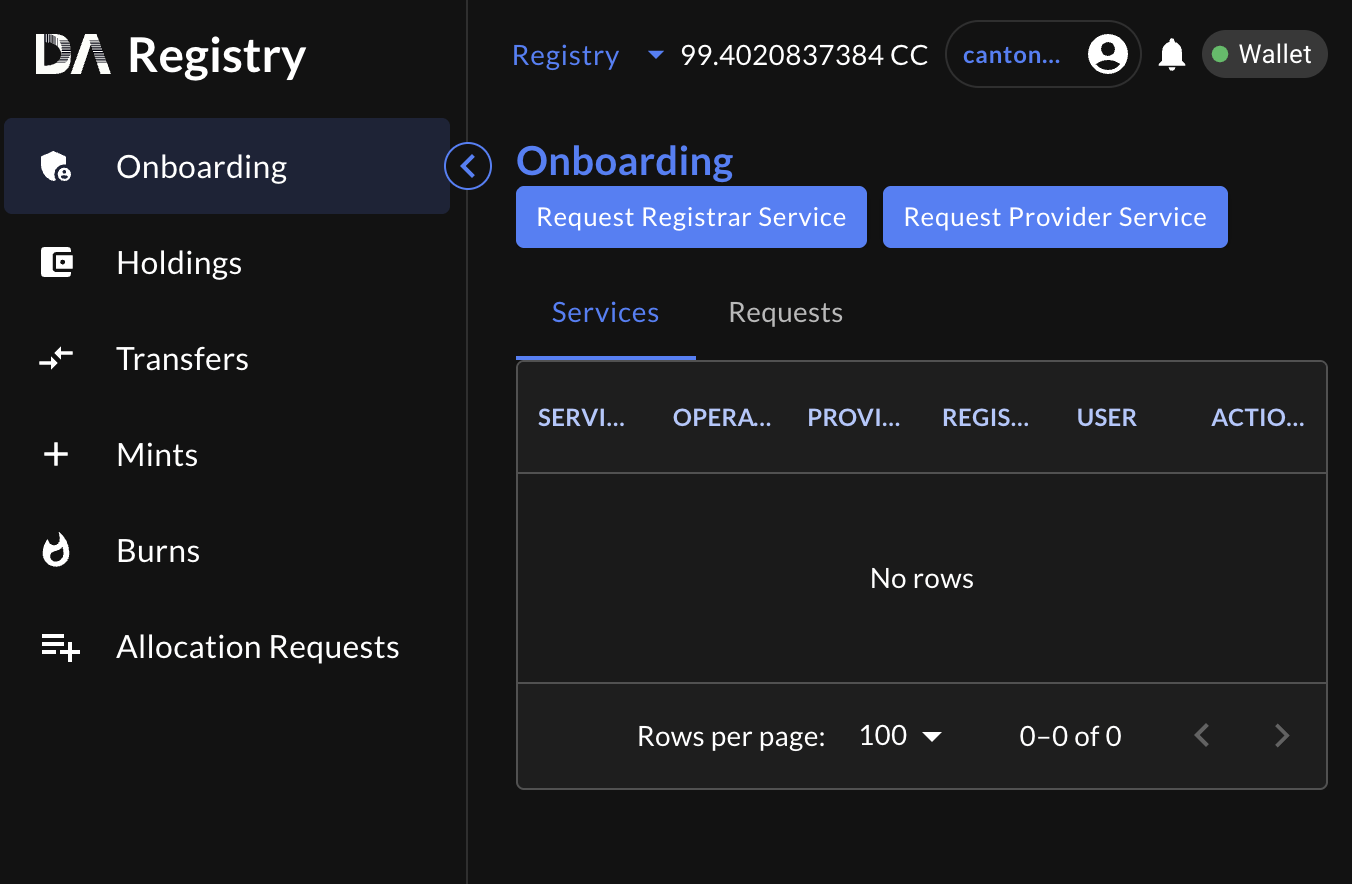 Before submitting a Provider Service request, ensure that the following prerequisites have been completed:
* A commercial agreement with Digital Asset has been executed.
* Your validator node has been deployed and successfully onboarded to the Canton Network (optional, if using CIP-103 compliant wallet).
* You have access to the Registry User Interface through a CIP-103 compliant wallet or Wallet Gateway deployment.
* Traffic-Based App Reward sharing has been configured in accordance with the applicable commercial agreement.
Once your Provider Service request has been approved, you can begin onboarding registrar parties and creating and administering instruments through the Registry App.
## Next Steps
Once your Provider Service has been created, the next steps depend on how you plan to use the DA Registry.
If you are issuing your assets in the Canton Network, continue with the **Guides and Integration** section to learn how to:
* [Onboard a Registrar](/registry/guides/registrar-onboarding)
* [Create an Instrument Configuration](/registry/guides/instrument-configuration)
* [Configure compliance controls](/registry/guides/blocklist)
* [Mint your first asset using the Registry dApp](/registry/guides/mint)
These guides walk through the complete asset issuance workflow using the user interface.
If you are building a tokenization platform or integrating the DA Registry into your own applications, continue with the [Role Architecture](/registry/get-started/role-architecture) for an overview of the DA Registry components and integration model.
Then follow the API Integration Guides and reference implementations to build against the Ledger API and Token Standard interfaces.
Before submitting a Provider Service request, ensure that the following prerequisites have been completed:
* A commercial agreement with Digital Asset has been executed.
* Your validator node has been deployed and successfully onboarded to the Canton Network (optional, if using CIP-103 compliant wallet).
* You have access to the Registry User Interface through a CIP-103 compliant wallet or Wallet Gateway deployment.
* Traffic-Based App Reward sharing has been configured in accordance with the applicable commercial agreement.
Once your Provider Service request has been approved, you can begin onboarding registrar parties and creating and administering instruments through the Registry App.
## Next Steps
Once your Provider Service has been created, the next steps depend on how you plan to use the DA Registry.
If you are issuing your assets in the Canton Network, continue with the **Guides and Integration** section to learn how to:
* [Onboard a Registrar](/registry/guides/registrar-onboarding)
* [Create an Instrument Configuration](/registry/guides/instrument-configuration)
* [Configure compliance controls](/registry/guides/blocklist)
* [Mint your first asset using the Registry dApp](/registry/guides/mint)
These guides walk through the complete asset issuance workflow using the user interface.
If you are building a tokenization platform or integrating the DA Registry into your own applications, continue with the [Role Architecture](/registry/get-started/role-architecture) for an overview of the DA Registry components and integration model.
Then follow the API Integration Guides and reference implementations to build against the Ledger API and Token Standard interfaces.