- Overview
- Setup
- Tutorials
- How Tos
- Reference
Workflows
Create Instrument Configuration
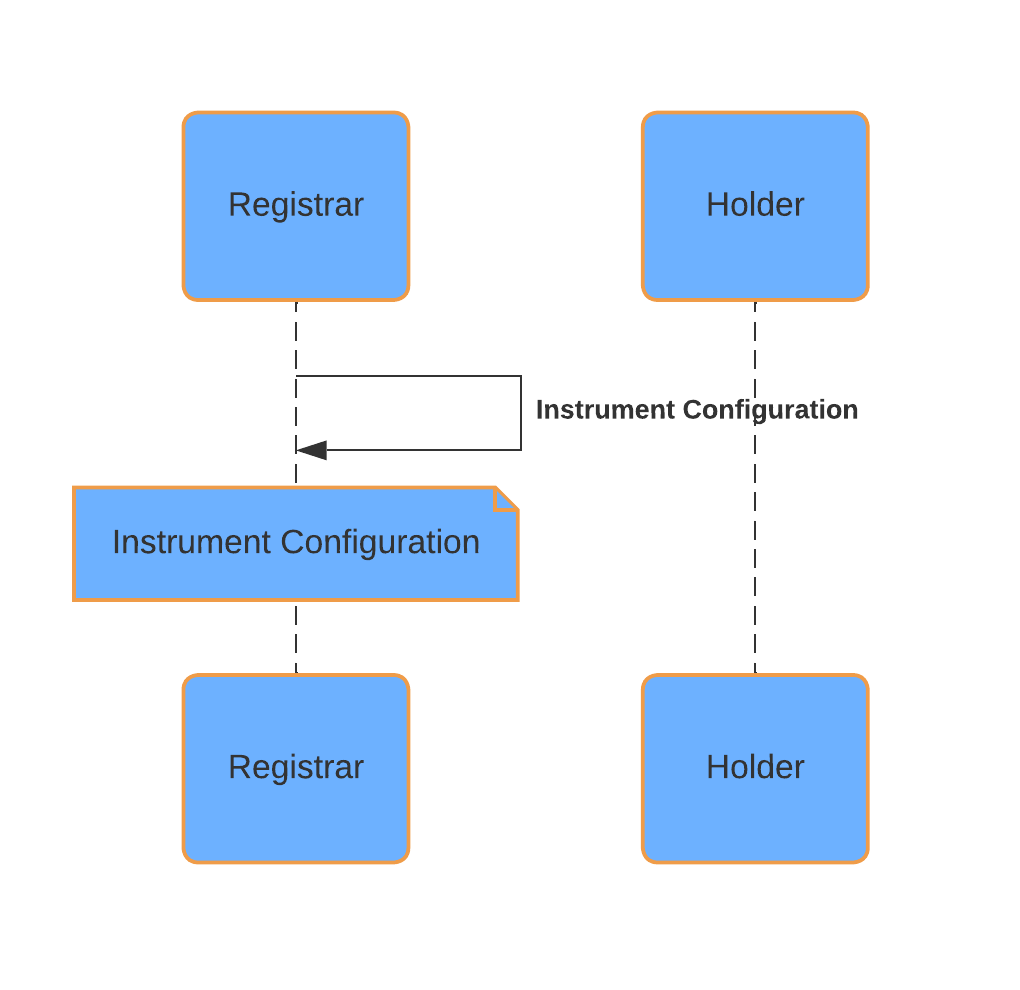
In the Registry Utility, a party with the Registrar role must create an InstrumentConfiguration contract for each instrument they support. This contract establishes an identifier for the instrument and defines the credential requirements for holding, minting, and burning its tokens (Holdings):
Holder Credential Requirements: Credentials needed for transferring tokens of the instrument.
Issuer Credential Requirements: Credentials needed for minting and burning tokens of the instrument.
For each credential requirement, the following values need to be specified based on the credential model:
Issuer: The ledger party of the issuer of the credential.
Property: The claim’s property (e.g., “isIssuerOf” or “isHolderOf”).
Value: The value of the claim property (e.g., the instrument’s name or a unique identifier).
By correctly configuring these values, the registrar ensures that only authorized parties can hold, mint, or burn tokens for a specific instrument, according to its defined rules.
Once an instrument configuration is created, it gets explicitly disclosed by the operator backend. This makes it accessible to all parties interacting with the Registry Utility, ensuring that everyone has the latest information on instrument configurations and their associated credential requirements.
The InstrumentConfiguration also allows for specifying additional instrument identifiers, such as ISIN or CUSIP. These fields are optional and can be used to facilitate integration with external systems that recognize these identifiers. However, within the Registry Utility, only the main instrument identifier is used for all workflows and operations.
Mint
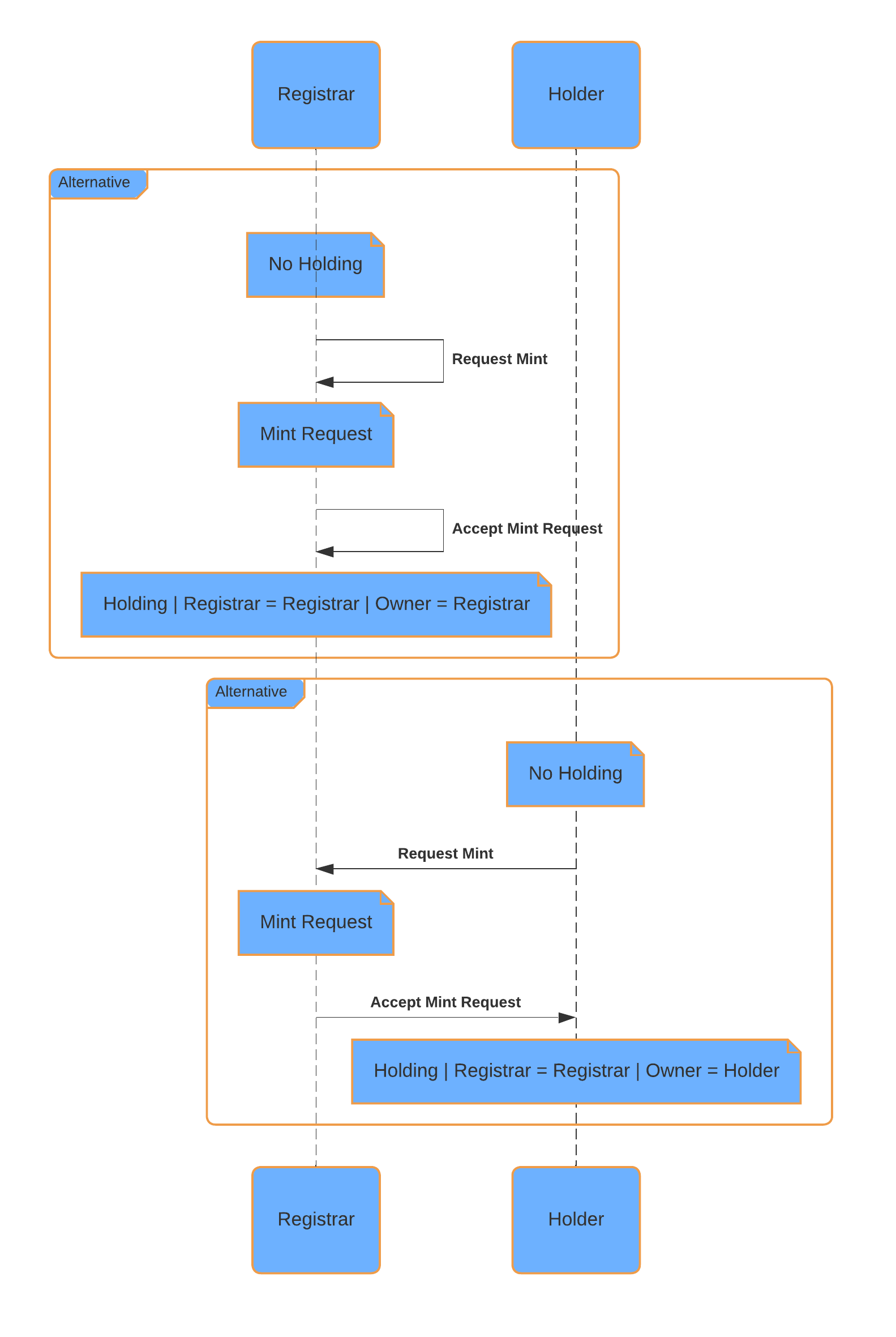
The registry’s Mint request workflow allows authorized parties to create tokens (Holdings) of a specific instrument. This process uses a request/accept workflow to ensure that only eligible parties can initiate and approve the minting of tokens.
Prerequisites/Credential Checks:
Minting requires an InstrumentConfiguration for the instrument, see the section above for creating one.
Upon requesting and accepting a mint, it is verified that the requestor has valid Instrument Issuer credentials for the instrument as defined in the InstrumentConfiguration, ensuring that only authorized parties can mint Holdings. If no Instrument Issuer credentials are specified in the InstrumentConfiguration, any party is eligible to request a mint.
Mint Request:
The party requesting the Mint specifies the following (in the corresponding UI dialog):
Instrument: The identifier of the instrument that will be minted.
Amount: The amount that will be minted.
Registrar: The ledger party of the registrar of the token that will receive the Mint request and needs to accept (or reject) it.
Reference: A reference field to provide context, such as the reason for the mint or the agreement under which the tokens are being minted.
Note
Before the command is submitted by the UI, an API call is being made (in the background) to an endpoint to retrieve required additional choice context (including disclosure), such as the InstrumentConfiguration, the required Credentials, and other required input.
Mint Acceptance/Rejection:
Only the registrar is authorized to accept or reject Mint requests. Upon acceptance, the specified tokens are created for the requesting party. Upon rejection, the registrar may provide a reason for the rejection, and the mint offer is voided.
Note
Before the accept command is submitted by the UI, an API call is being made (in the background) to an endpoint to retrieve required additional choice context (including disclosure), such as the InstrumentConfiguration, the required Credentials, and other required input.
Mint Cancellation:
The party that requested the mint has the ability to cancel it before acceptance by the registrar.
Burn
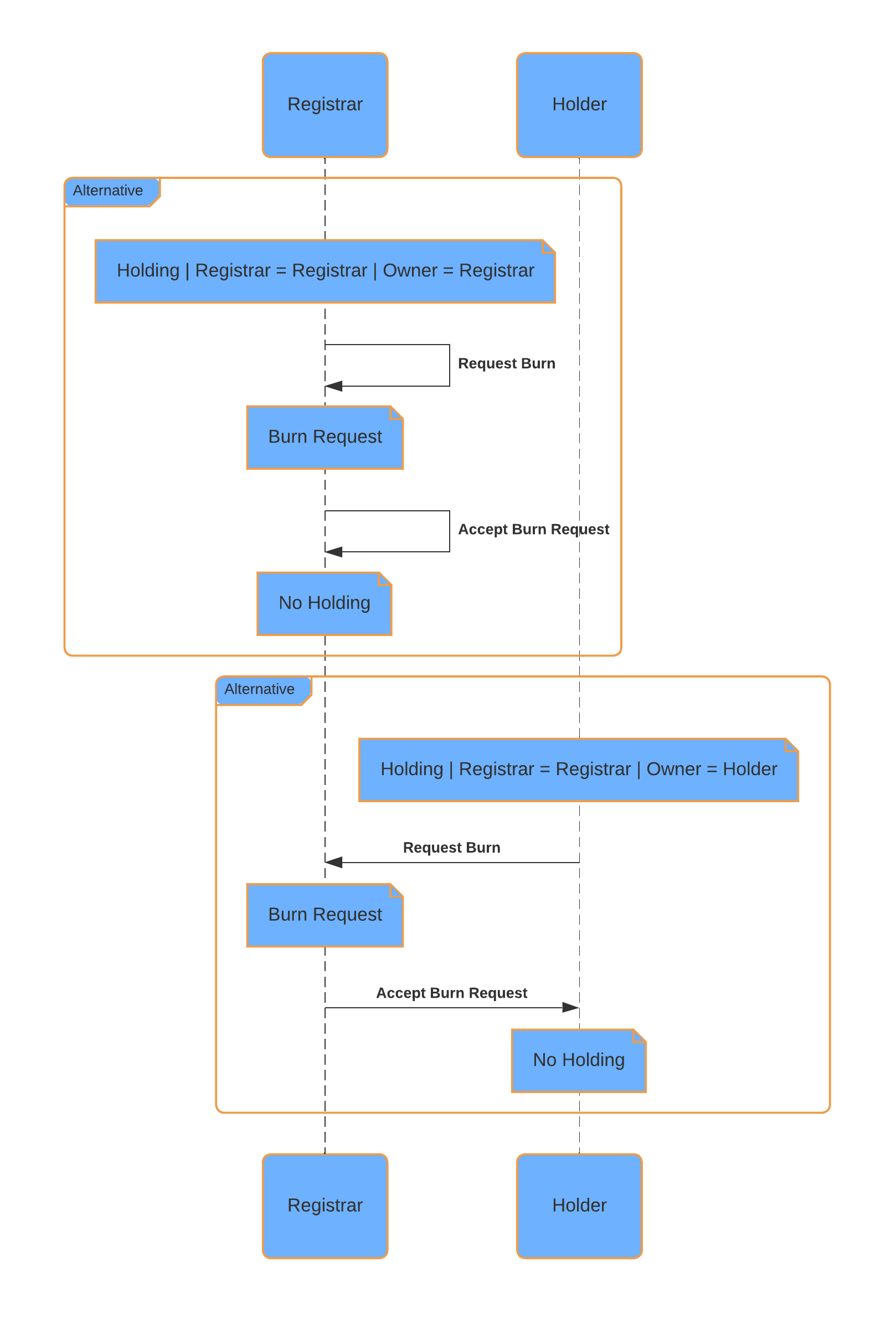
The registry’s Burn request workflow allows authorized parties to remove tokens (Holdings) of a specific instrument. This process uses a request/accept workflow to ensure that only eligible parties can initiate and approve the burning of tokens.
Prerequisites/Credential Checks:
Burning requires that the tokens to be burned have already been minted, see last section, and are held by the requesting party.
Upon requesting and accepting a burn, it is verified that the requestor has valid Instrument Issuer credentials for the instrument as defined in the InstrumentConfiguration, ensuring that only authorized parties can burn Holdings. If no Instrument Issuer credentials are specified in the InstrumentConfiguration, any party is eligible to request a burn.
Burn Request:
The party requesting the Burn specifies the following (in the corresponding UI dialog):
Instrument: The identifier of the instrument that will be burned.
Amount: The amount that will be burned.
Registrar: The ledger party of the registrar of the token that will receive the Burn request and needs to accept (or reject) it.
Reference: A reference field to provide context, such as the reason for the burn or the agreement under which the tokens are being burned.
Note
Before the command is submitted by the UI:
Holdings are selected to cover the burn amount.
An API call is being made (in the background) to an endpoint to retrieve required choice context (including disclosure), such as the InstrumentConfiguration, the required Credentials, and other required input.
As a result of executing the command, the specified amount of a Holding gets locked for the burn, which is visually indicated by a lock symbol on the Holding page in the UI.
Burn Acceptance/Rejection:
Only the registrar is authorized to accept or reject Burn requests. Upon accepting a request, the specified tokens are permanently removed from the registry. Upon rejection, the registrar may provide a reason for the rejection, the burn offer is voided, and locked Holdings are released.
Note
Before the accept command is submitted by the UI, an API call is being made (in the background) to an endpoint to retrieve required choice context (including disclosure), such as the InstrumentConfiguration, the required Credentials, and other required input.
Burn Cancellation:
The party that requested the burn has the ability to cancel it before acceptance by the registrar. Upon cancellation, any locked Holdings are released and can be used for other purposes.
Transfer
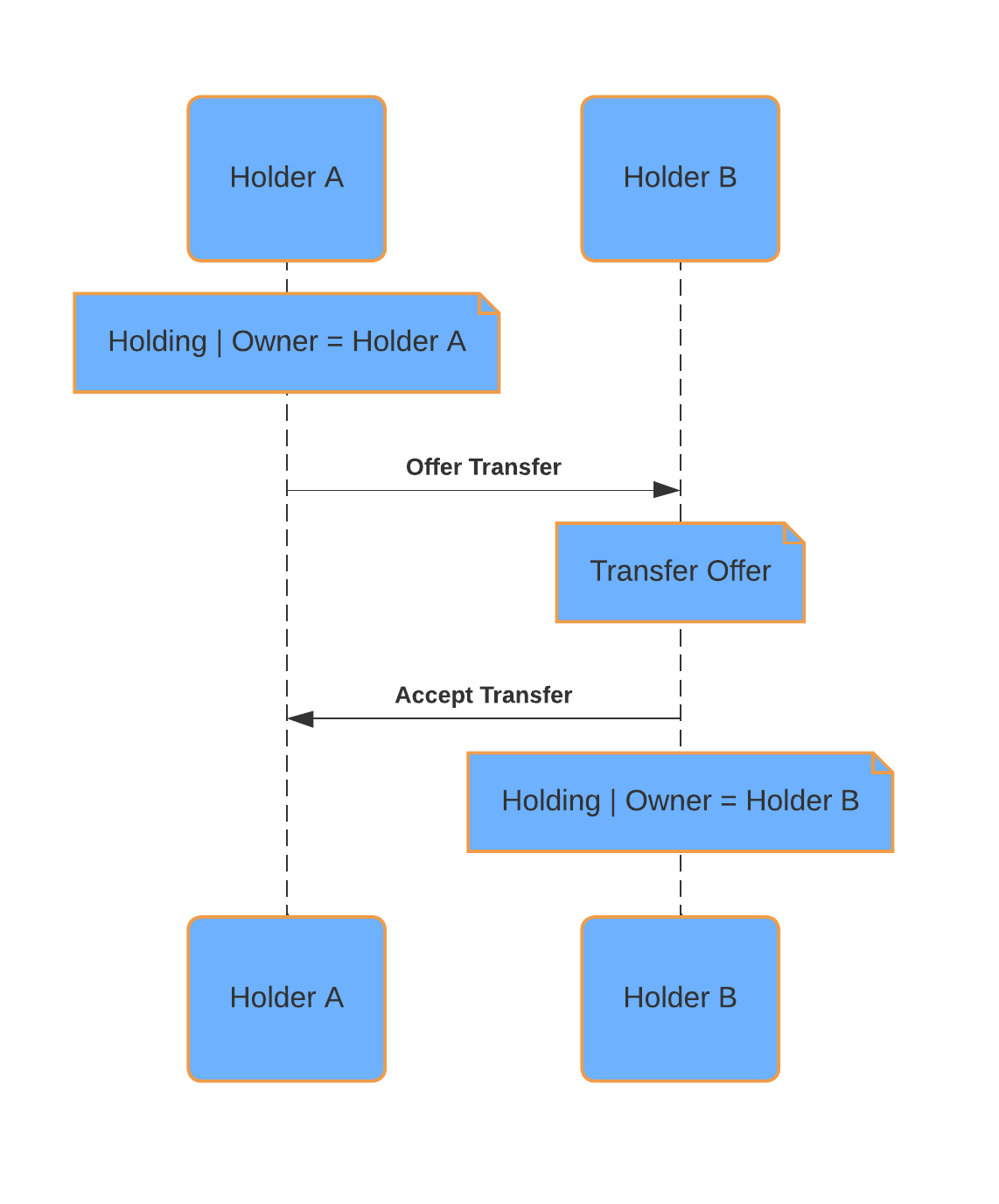
The registry’s Transfer workflow implements the Transfer Instruction API defined by the Canton Network Token Standard. It allows authorized parties to move tokens (Holdings) of a specific instrument from one party to another at a registrar.
By defining appropriate credential requirements for instrument holders in the InstrumentConfiguration, the registrar can prevent unauthorized transfers. This approach helps maintain the integrity and traceability of token ownership within the registry.
Transfers are executed either as a two-step workflow (offer -> accept) or a direct (preapproved) transfer.
Note
Also see the Registry Utility - Transfer API Example and Registry Utility - Transfer Preapproval API Example for an example how to for API examples.
Prerequisites / Credential Checks: Before a transfer can be initiated, the following conditions must be met:
The sending party must already own the tokens to be transferred. See the Mint workflow for token creation.
The registrar must have created a TransferRule contract instance.
The sender must have valid Instrument Holder credentials for the instrument, as defined in the InstrumentConfiguration. The receiver is subject to the same credential checks. This ensures that only authorized parties can send or receive Holdings. If the Instrument Holder credential requirements are empty (in the InstrumentConfiguration), transfers are permitted between any parties.
For a direct (preapproved) transfer, the receiver must have created a TransferPreapproval in advance, targeting the relevant instrument. This is configured in the UI by specifying the following (in the corresponding UI dialog):
Instrument Admin: The registrar of the instruments being preapproved.
Instrument IDs: The instrument IDs eligible for a direct transfer without an explicit accept step. If left empty, all instruments administered by the specified instrument admin are eligible. Each TransferPreapproval instance may reference up to 10 instrument IDs.
Transfer Offer:
To initiate a transfer, the sender provides the following information in the UI:
Receiver: Ledger party of the receiver.
Instrument: Identifier of the instrument to be transferred.
Amount: Number of tokens (Holdings) to transfer.
Registrar: Ledger party of the instrument admin overseeing the transfer.
Reference: Optional context or tracking information.
Note
Before the command is submitted by the UI:
Holdings are automatically selected to cover the requested transfer amount.
A background API call is made to the corresponding Utilities token standard endpoint to retrieve the required choice context (including disclosure). This includes the InstrumentConfiguration, applicable Credentials, and other required inputs. The call also determines whether a transfer preapproval is in place or whether the transfer must follow the offer -> accept workflow.
As a result of executing the command:
If a matching TransferPreapproval exists, the transfer is executed immediately and token ownership is updated.
Otherwise, the specified amount of a Holding is locked pending acceptance or rejection. Locked holdings are indicated by a lock symbol in the UI.
Transfer Acceptance / Rejection:
The receiver may either accept or reject a transfer offer.
Acceptance: Ownership of the tokens is transferred from the sender to the receiver. The registrar remains unchanged.
Rejection: The transfer offer is voided, and any locked Holdings are released back to the sender.
Note
Before submitting an accept or reject command, a background API call is made to the Utilities token standard endpoint to retrieve the required choice context (including disclosure):
For acceptance, this includes the TransferRule, InstrumentConfiguration, required Credentials, and other necessary inputs.
For rejection, the context is currently empty.
Transfer Withdrawal:
Before a transfer is accepted, the sender may withdraw (cancel) the transfer offer.
Upon withdrawal, any locked Holdings are released back to the sender.
Note
Before submitting the withdraw command, a background API call is made to the corresponding Utilities token standard endpoint to retrieve required choice context (including disclosure). Currently, this context is empty.