

Prerequisites
Commercial Agreement
Commercial Agreement
Use of the DA Registry requires a commercial agreement with Digital Asset. The agreement governs access to DA Registry, licensing, support, and any applicable commercial terms. For licensing and pricing information, please contact Digital Asset.
Set Up Canton Infrastructure
Set Up Canton Infrastructure
This step can be skipped if you are planning to access the DA Registry with an authorized partyID via a CIP-103 compliant wallet.
Configure Reward Sharing
Configure Reward Sharing
To use a featured party with the DA Registry, the party must configure a static sharing of Traffic-Based App Rewards according to the applicable commercial agreement.This configuration is required to maintain reward-sharing arrangements under the Canton Network tokenomics. The documentation for the Canton setup can be found here.
Connect to the Registry User Interface
Connect to the Registry User Interface
The Registry User Interface supports the CIP-103 dApp connectivity standard.To access the DA Registry dApp UI, connect your Provider party or any other authorized party using a CIP-103 compliant wallet.You can either:
- Use an existing CIP-103 compliant wallet provider, or
- Deploy the Wallet Gateway within your own infrastructure and connect it to your participant node.
Set Up Your Provider Service
Set Up Your Provider Service
A Provider Service represents the on-ledger contract between Digital Asset and your organization’s Registry infrastructure and enables you to onboard registrar parties and administer Registry services.Provider Services can be requested directly through the Registry User Interface.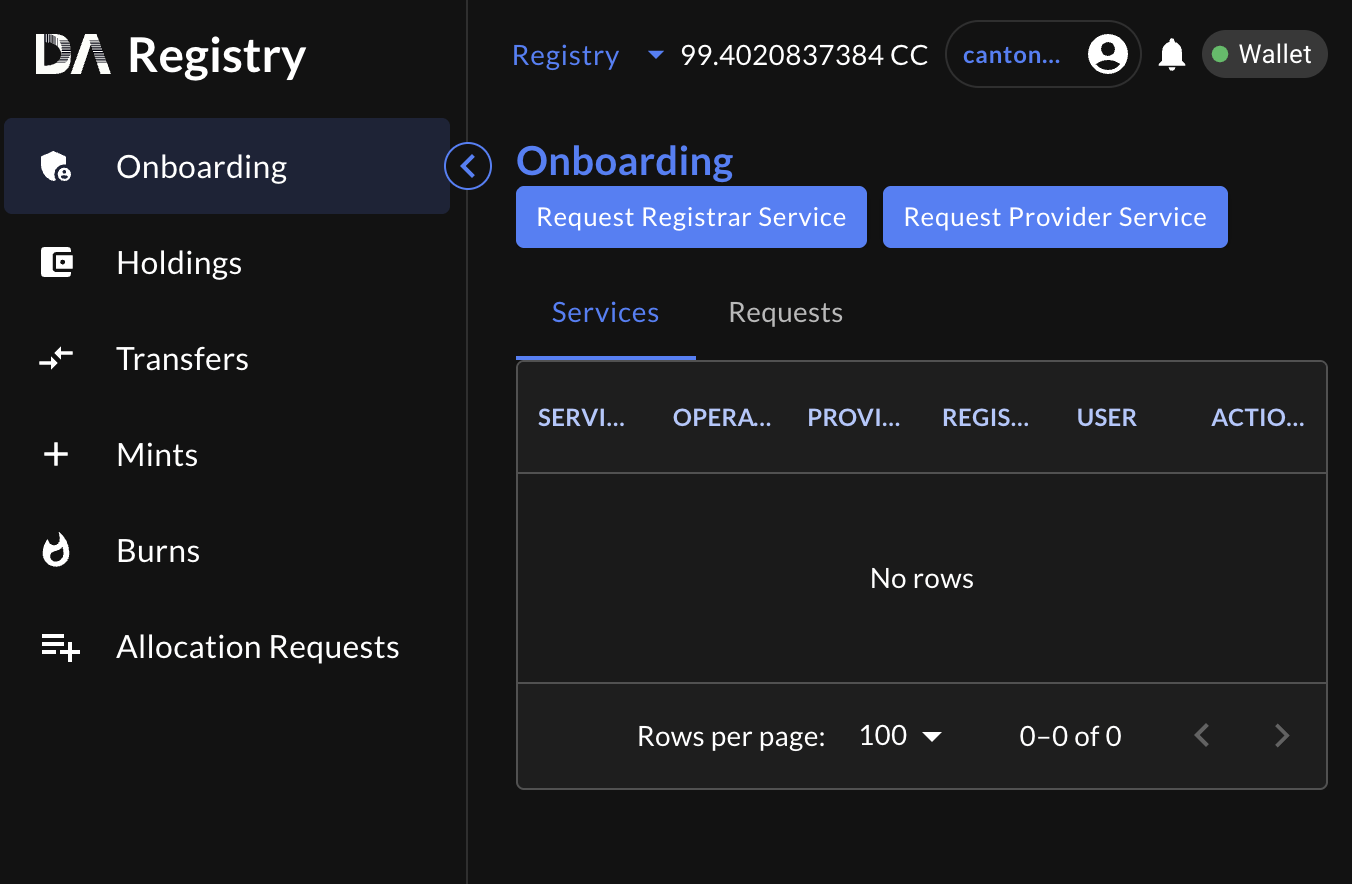
- A commercial agreement with Digital Asset has been executed.
- Your validator node has been deployed and successfully onboarded to the Canton Network (optional, if using CIP-103 compliant wallet).
- You have access to the Registry User Interface through a CIP-103 compliant wallet or Wallet Gateway deployment.
- Traffic-Based App Reward sharing has been configured in accordance with the applicable commercial agreement.
Next Steps
Once your Provider Service has been created, the next steps depend on how you plan to use the DA Registry.- Asset Issuers
- Tokenization Platform Providers
If you are issuing your assets in the Canton Network, continue with the Guides and Integration section to learn how to:
- Onboard a Registrar
- Create an Instrument Configuration
- Configure compliance controls
- Mint your first asset using the Registry dApp
Lower environments
The Registry dApp is also available in the lower environments:- TestNet
- DevNet
ProviderServiceRequest will be automatically approved.